Power Platform Projects
Explore selected Power Platform solutions demonstrating how I use Power Apps, Power Automate, SharePoint, Dataverse, and Power BI to solve real business problems and modernize business processes.
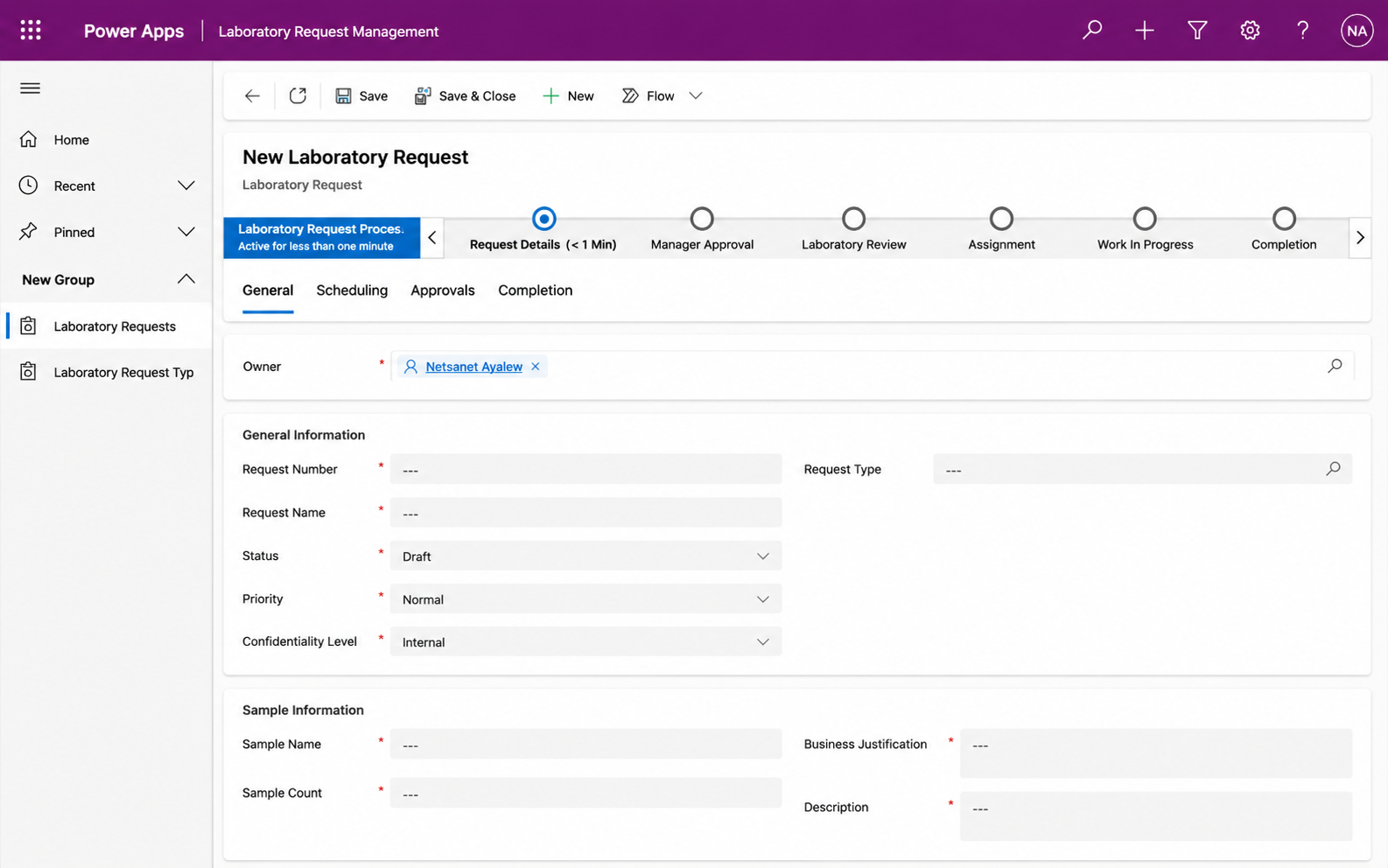
Enterprise Laboratory Request Management
Business Problem
Laboratory service requests were managed through fragmented and largely manual processes, making it difficult to consistently track request status, coordinate reviews and approvals, maintain supporting documentation, and provide stakeholders with timely visibility into request progress.
Solution
Developed a centralized Power Platform solution to streamline laboratory service requests from submission through review and approval. The solution uses Power Apps and Dataverse to provide structured request management, Power Automate to automate notifications and approval workflows, and SharePoint to support related documentation and collaboration.





Quick Links
Explore the solution, architecture, and related project resources.
Copilot + AI Builder Project
AI-Powered IT Support Copilot & Intelligent Ticket Automation
Business Problem
IT support requests can require manual triage, categorization, prioritization, routing and follow-up, increasing response time and creating inconsistent ticket handling.
Solution
Developed an AI-powered IT support solution using Copilot Studio, AI Builder, Power Automate, Dataverse and a model-driven Power App. Employees describe an issue naturally, AI analyzes the request, automation routes the ticket to the appropriate support team, and the solution tracks the complete support lifecycle.
View Full Project →Custom SharePoint Development
Laboratory Operations SPFx Dashboard
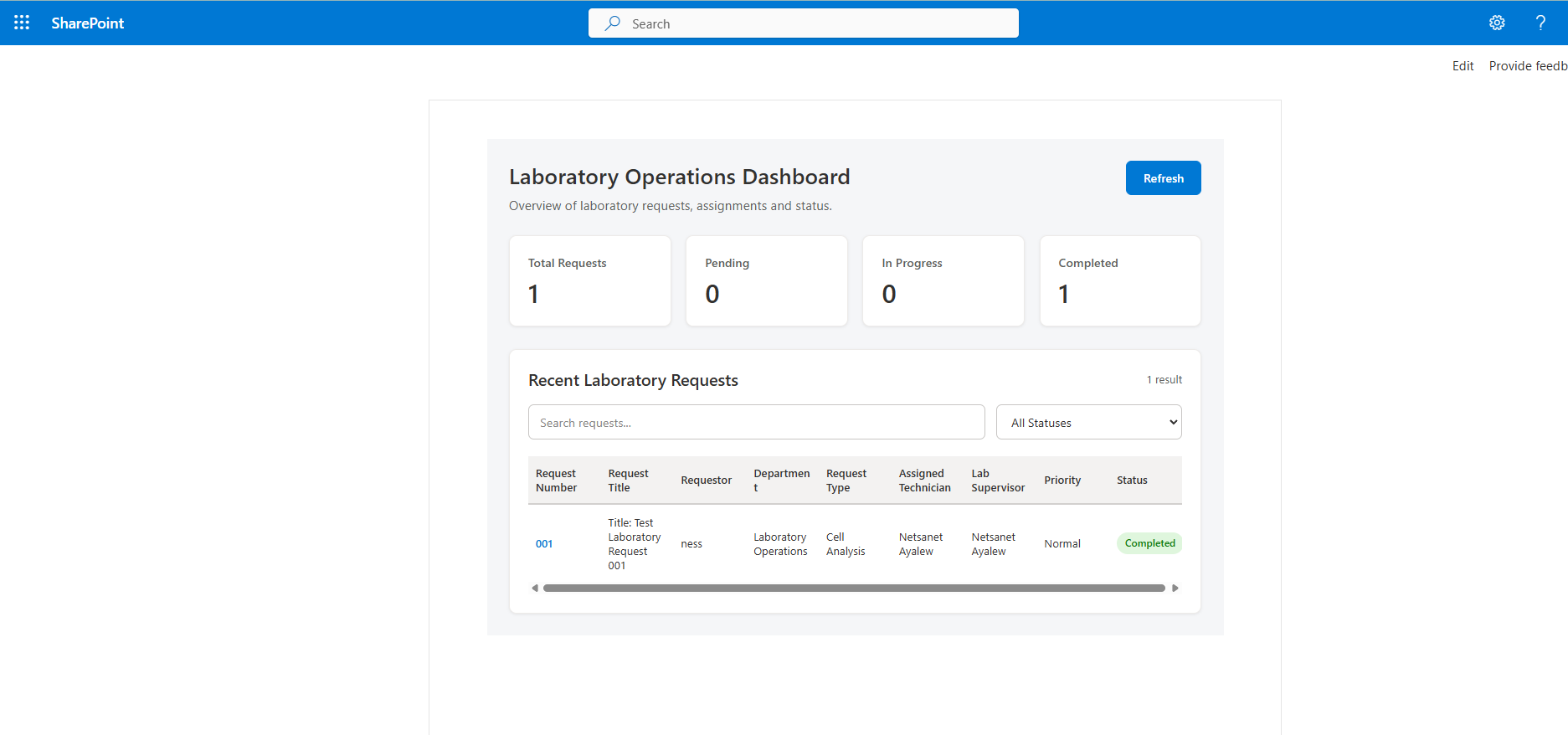
Custom SharePoint Framework dashboard developed with React and TypeScript to provide laboratory operations teams with real-time visibility into laboratory requests, assignments, priorities, request types, and workflow status.
What I Built
Designed and developed a custom SharePoint Framework web part that retrieves live Laboratory Request data from SharePoint Online using the SharePoint REST API and SPHttpClient.
Operational Features
- Real-time laboratory request dashboard
- Total, Pending, In Progress, and Completed request metrics
- Search across laboratory request information
- Status-based filtering
- Color-coded workflow status indicators
- Assigned Technician and Laboratory Supervisor visibility
- Responsive table and dashboard layout
Solution Architecture
.sppkg application, deployed through the Microsoft 365 App Catalog, installed on the laboratory Operations SharePoint site, and added to the Laboratory Operations SharePoint site.